Life is fun and easy!
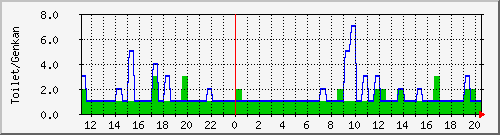
不正IP報告数
Okan Sensor
ページへ戻る
− Links
印刷
PowerShell/01/Get-ExecutionPolicy
の編集 ::
UJP
tech_regist2
:
PowerShell
/
01
/
Get-ExecutionPolicy
の編集
PowerShell/01/Get-ExecutionPolicy の編集
詳細な入力項目を表示
ページタイトル
( 空白で自動設定 )
:
ページ並び順
( 0-9 小数可 標準:1 )
:
ページ別名
(複数は[
改行
]で区切る)
:
ページ内容:
*PowerShellの実行ポリシー [#ib27838a] **はじめに [#vaab2da7] PowerShellを使ってみようとして,いきなり動かない.PowerShellは強力な機能が故に,セキュリティホールになるから,デフォルトでは実行できないように設定してある. このドキュメントでは,実行ポリシー(Execution Policy)を確認して,変更する手順を示す. **実行ポリシーの現在設定を確認 [#jeea0b02] コマンドプロンプトから,PowerShellを実行して,Get-ExecutionPolicyコマンドレットを実行させて,現在設定を確認する. #ref(site://modules/xelfinder/index.php?page=view&file=6558&PowerShellExecutionPolicy1.jpg,center) restrictedとレスポンスがあったので,制限された状態. PowerShellの開発環境,PowerShell ISEを使ってコマンドレットを実行. #ref(site://modules/xelfinder/index.php?page=view&file=6559&PowerShellExecutionPolicy2.jpg,center,mw:600,mh:600) すると,エラーが. このシステムではスクリプトの実行が無効になっているため、 ファイル C:\Users\ujpadmin\Desktop\getPolicy.ps1 を 読み込むことができません。 詳細については、「about_Execution_Policies」 (https://go.microsoft.com/fwlink/?LinkID=135170) を参照してください。」 実行ポリシーの変更が必要. **実行ポリシーをUnrestrictedにする [#zdcd1b86] 実行ポリシーには,restricted,AllSigned,RemoteSigned,Unrestrictedと制限が強い順に設定できるが,ここでは一番弱いUnrestrictedに変更する. #ref(site://modules/xelfinder/index.php?page=view&file=6560&PowerShellExecutionPolicy3.jpg,center) 管理者権限がなかったのでエラーになった. #ref(site://modules/xelfinder/index.php?page=view&file=6554&PowerShellExecutionPolicy4.jpg,center) スタートメニューを右クリックして,PowerShellを管理者モードで開く. #ref(site://modules/xelfinder/index.php?page=view&file=6556&PowerShellExecutionPolicy5.jpg,center,mw:600,mh:600) Set-ExecutionPolicyにて,unrestrictedを設定できた.
編集の要約:
Q & A 認証:
ページ更新時は次の質問にお答えください。(プレビュー時は必要ありません)
Q:
「東京」の読みがな?(ひらがなで)
A:
お名前:
タイムスタンプを変更しない
テキスト整形のルールを表示する
[1]
添付ファイル
[2]
:
Links list
(This host) = http://www.ujp.jp
(This host)
/modules/tech_regist2/?cmd=edit&help=true&page=PowerShell%2F01%2FGet-ExecutionPolicy
(This host)
/modules/tech_regist2/?plugin=attach&pcmd=list&refer=PowerShell%2F01%2FGet-ExecutionPolicy


![[PukiWiki]](http://www.ujp.jp/modules/tech_regist2/image/pukiwiki.png "[PukiWiki]")
